Starting with Sytist 5.6 is the option to charge a fee on a per payment option basis.
Go to Settings -> Checkout & Payment and select the payment option you are using. You will see a section for processing fee.
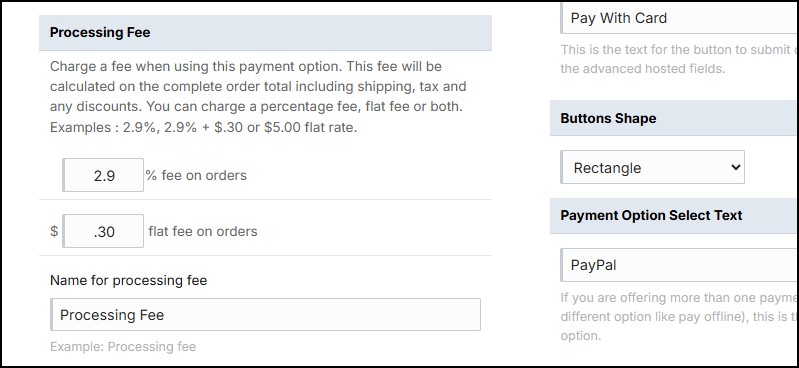
You can add a percentage fee, a flat fee or both. This fee will be calculated on the complete order total including shipping, tax and any discounts. You can charge a percentage fee, flat fee or both. Examples : 2.9% or 2.9% + $.30 or $5.00 flat rate.
Please note this fee does not work with scheduled payments payments. It applies to standard orders and invoices.
If you want to export this fee in your reports, you will need to enable it in your report export settings.