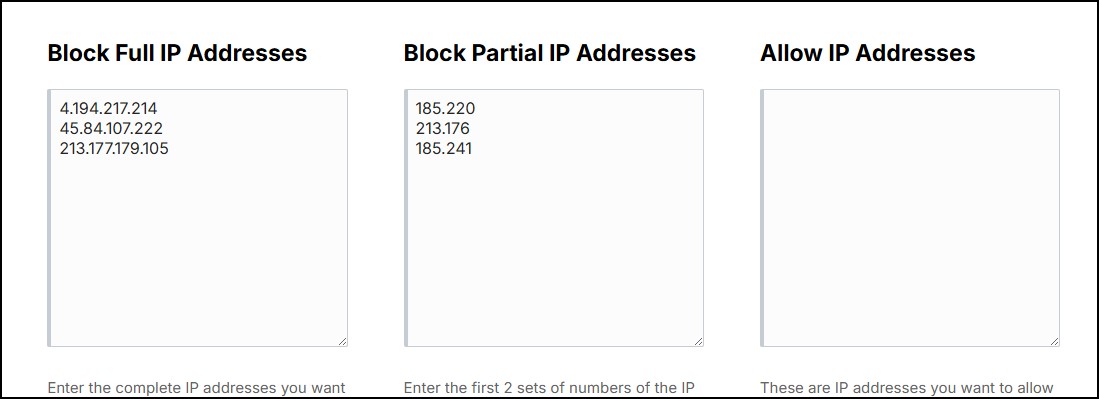
Here you can block specific IP addresses and partial IP address from visiting your website. This can be useful to block certain visitors & bots.
In the visitor stats you can see the visitor's IP address. While you can't get personal information from an IP address, you can get a general location by using an IP lookup site like ipwhois.io .
Block Full IP Address
This section you will enter the complete IP address of the visitors you want to block one per line.
Block Partial IP Addresses
You may see where you have repeat visitors to the site where the first part of the IP address is the same but the last parts change.
For example, something like this:
185.220.100.245
185.220.101.176
185.220.101.148
You see the first 2 parts are the same, but this bot keeps coming back where the last 2 parts are different.
So to block this bot you would enter 185.220 in the Block Partial IP Addresses.
This checks the first 2 sets of numbers of the IP address and if they match, they will be blocked.
Allow IP Addresses
If you are using the Block Partial IP Addresses option and you are having a legitimate visitor being blocked, you can add their IP address to this section.
Blocked Message
This is the message shown to the visitor that is being blocked.
Blocked Log
This will show you all the blocks that have occurred.
Testing
You can test the blocking by blocking your own IP address. It won't block you from the admin, but it will block you from the front end.