To post a new support question, click the Post New Topic button below.
Current Version: 5.5.2 | Sytist Manual | Common Issues | Feature Requests
Not Receiving Order Emails, Orders Not Logged Even If Paid
I had a customer place an order today and the only reason I found out was that I received the payment in PayPal, as I normally do. There is absolutely nothing in my orders list showing this order, nothing in their account to show this order, and no outgoing emails that normally would send automatically confirming. The only thing showing their activity is their shopping cart, which they confirmed were the items they had ordered, but the cart still shows as full and ready to be ordered.
Additionally, I have not received any of my contact form emails for about a month. They don't go to spam or anything. I just simply don't receive them, even if I resend to myself. I do, however, receive other emails, and sending a generic test email seems to work fine too.
Host is ipage (unfortunately, as it's been a nightmare lately), but I run my email through Google Workspace.
Following up as I've been reading some others' similar problems here. iPage was partnered with BlueHost, but it looks like it's soon being absorbed by Network Solutions sometime next month(maybe?). I've also looked into the order on PayPal's end, and even though I received the payment it shows the ipn is continuing to retry (has apparently retried 14 time now since the order was made yesterday).
For PayPal: Sytist Manual > Common Issues -> Customer Paid By PayPal Standard Business But No Order Is Created
See #1: ) You are forcing httpS but have not updated the config file (most likely)
Step #2 from these instructions on forcing httpS must be done or it could create a redirect and make the order not get created.
For emails: Sytist Manual > Common Issues > Emails Not Sending or Going Into Spam Folders
See #2) Settings -> Basic Settings -> "Contact Email Address"
This is the default email address emails are sent from. It is possible your hosting company requires that you use an email address @your-domain (example: info@picturespro.com ). If you are using something different (like a yahoo or hotmail email address), try using one @yourdomain. You can set those up in your hosting control panel or contact your hosting company for assistance.
My Email Address: info@picturespro.com
I am having this same issue. I had a customer pay but in her account (screenshot attached) it does not show an order but shows it is still in her shopping cart. He payment shows up in PayPal. I did a test order through the site and I got the exact same thing. Payment went through PayPal but still shows it's in shopping cart and not paid in the system.

I went and looked at the IPN history of my account and found there were a half dozen or so transactions that did not send, but others did. (attached) what would cause this?

After I selected resend on these orders, they all can through and now show up in my orders history in Sytist
Hi Tim. Those common fixes don't seem to be the issue, as I had already addressed those a while back. I have been able to receive a couple of orders, but the issue with my contact form is still happening.
I've also found that the longer I hang around on my site, the longer it takes for things to load. I feel like clearing the cache or going incognito helps temporarily, but then it just gets bogged down from there. Not sure if it's related, but it's definitely been getting worse as these problems persist. Of course my host says they've optimized or see no issue on their end. Just figured I'd note it here in case there is something else going on that isn't actually a host issue.
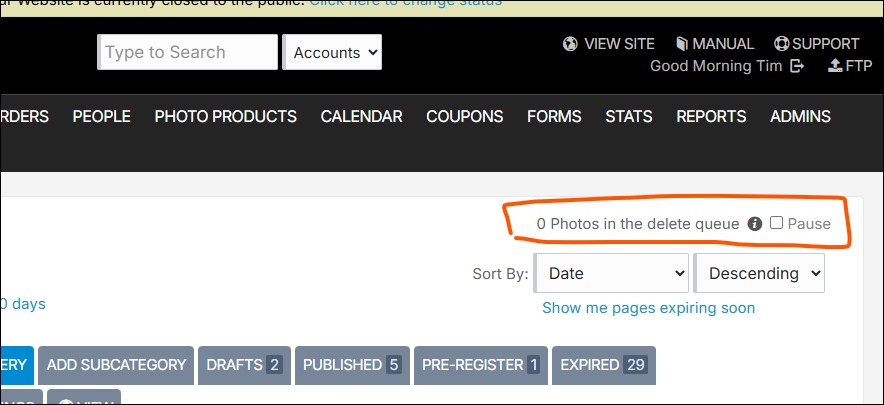
That can make it not want to move to the next page until the request for a batch of photos has finished deleting (it will delete 30 or 200 per request depending on where the photos are stored).
My Email Address: info@picturespro.com
I had this on Tuesday 22nd. A customer paid for some photos but i didnt get notified of the order or payment (customer emailed me about it) they had a payment email from stripe. untill i went into my stripe payment and manually accepted the order. Doing this then processed an order back to my site and gave it an order number and comfirmation emails to the customer and me. I think there is a bug in the payment procession part sending from the payment provider back to the site. I doesnt happy to every customer as this is my first one i have had.
Delete queue does not appear to have been running, hadn't deleted anything for a bit. As an experiment, I did just clear out a bunch of old files and galleries, and the delete queue appeared to go through them all fairly quickly. Things are moving a little faster now. I'm wondering if it had something to do with some old files I found that weren't tied to a gallery anymore for some reason, as it seemed to improve slightly after deleting those specific files.
In regards to my contact form emails not coming through, I've just tried editing the form to send to a different personal email of mine, and it came through alright. I then re-edited it to send contact form submission back to the email I HAD been using, and it seems to work. Not sure what happened, but it seems "fixed" for now. Not sure if there was a bug or what, but it's functioning.
Not sure what all happened with the paypal issue earlier, but seems to be okay now too. Will continue to keep an eye on it, as it seems to be a problem a few of us have experienced lately.
It's not a bug in the payment processing. Why would you have to accept the payment? Do you always have to do that with Stripe? I have never heard of that.
My Email Address: info@picturespro.com
Sounds like your host is having issues causing all that. Who do you host with? It seems ipage and bluehost have been having a lot of issues.
My Email Address: info@picturespro.com

Loading more pages